Vault · Messenger · Browser
Your photos are yours. Even when someone else is holding your phone.
Finn encrypts photos, videos and messages on your device itself. There is no account to make, no email address to give and no phone number to confirm. No advertising IDs, no trackers, and none of those endless “legitimate interest” lists either.
On the App Store for iPhone. For Android, straight from us — Android 7.0 and up.
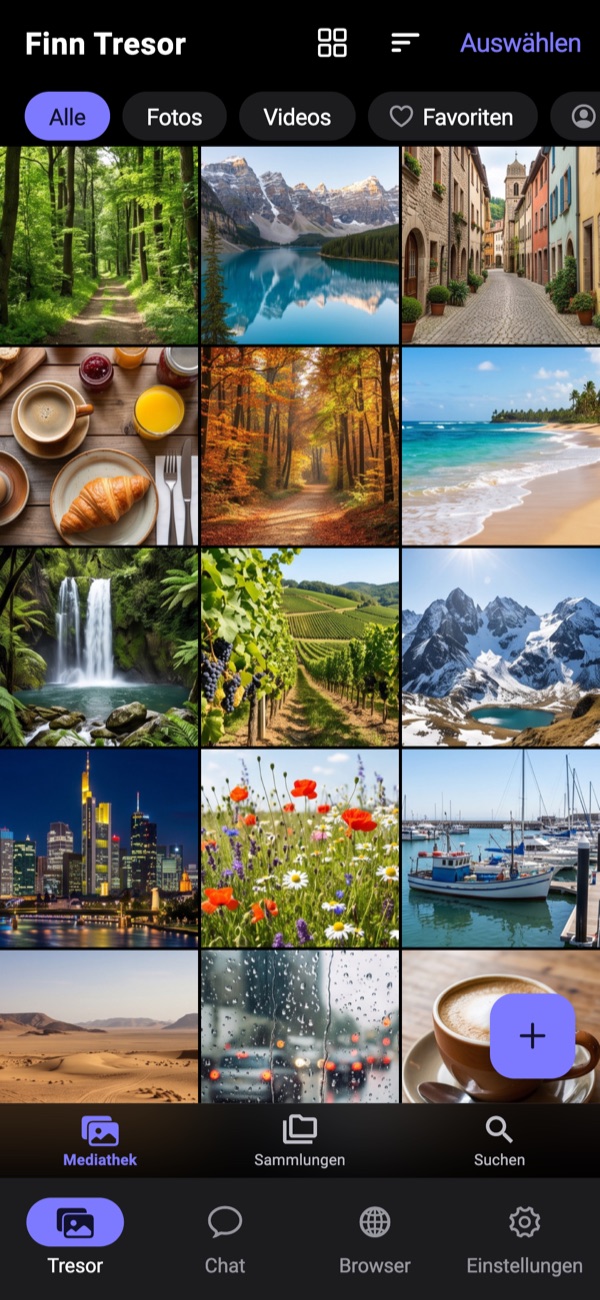
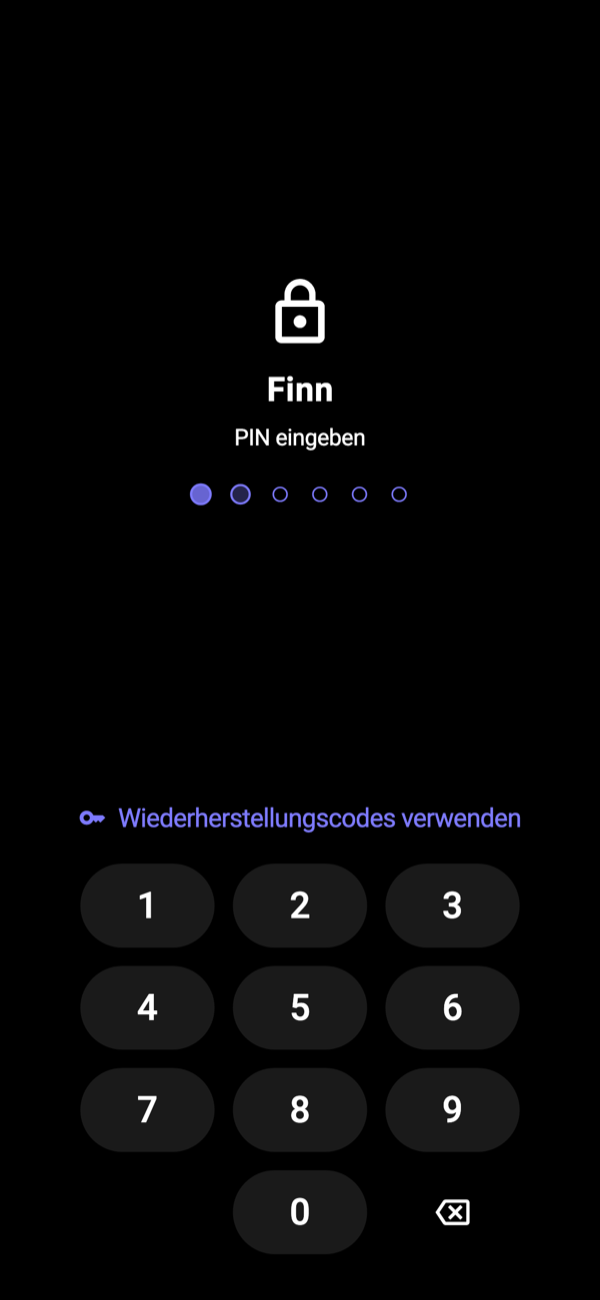
Hand your phone over without thinking about it
Everything private lives in Finn. Nobody gets in but you.
Let people swipe through your gallery, show them the holiday photos, pass the phone around. What is in Finn does not appear in the normal gallery at all. There is nothing there to stumble across.
You get in with your PIN. And if somebody does lean on you, you type the second one. The decoy vault looks like an ordinary vault because it is one.
Writing without anyone reading along
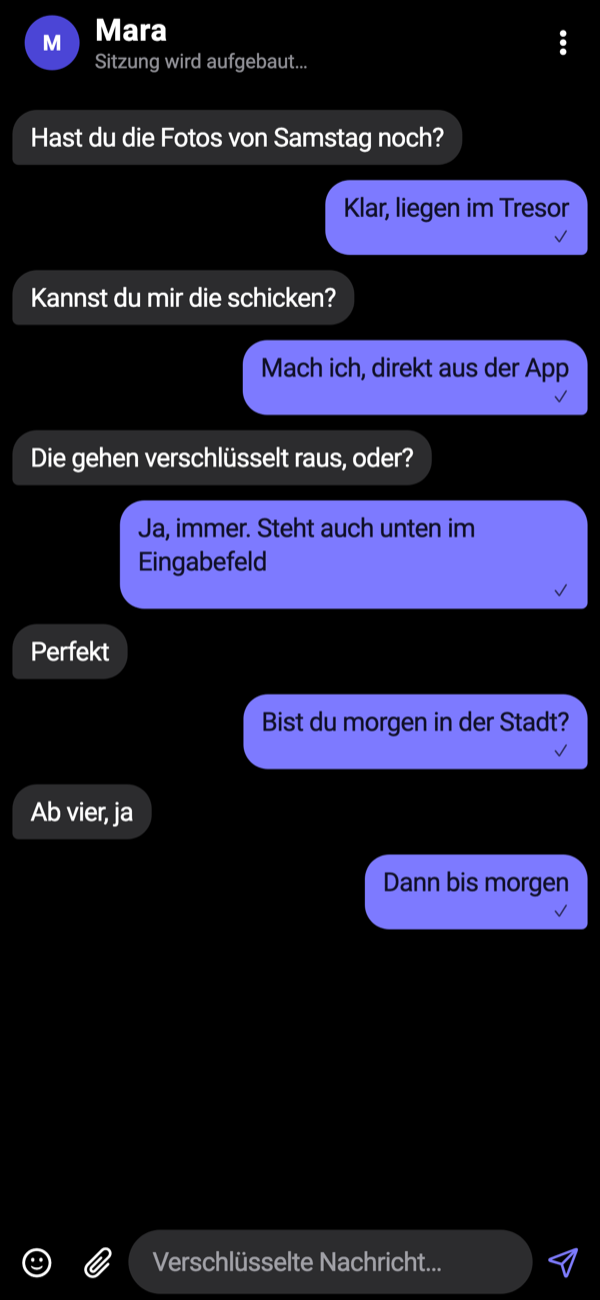
Finn has a real messenger built in. It uses the Signal Protocol — the same thing Signal itself runs on.
The keys are created on your phone and on the other person's. What sits on our side in transit is ciphertext we hold no key to. You send photos straight from the vault, without exporting them to your gallery first.
This is the point where Finn stops being a vault app. Other apps hide pictures. Here you can also send them.
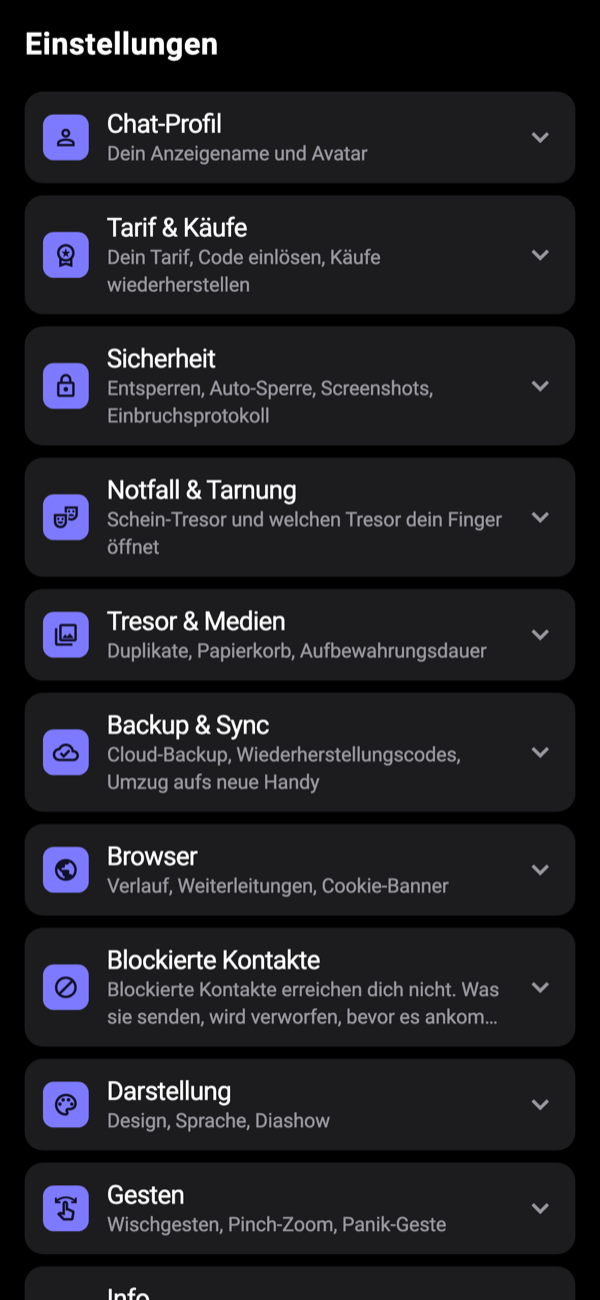
Everything you would otherwise have to assemble yourself
Decoy vault, intruder log, panic gesture, recovery codes. All in one app, none of it behind a subscription.
The decoy vault is a complete second vault with its own PIN. Its own pictures, its own chats, its own history. Anyone pressuring you to unlock gets shown something that looks real, because it is real.
And if someone tries the wrong PIN, the app takes a photo and notes the time. You find out later that it happened.
Edit it, tag it, pass it on
A vault you cannot get anything out of is a data grave. Finn is not one.
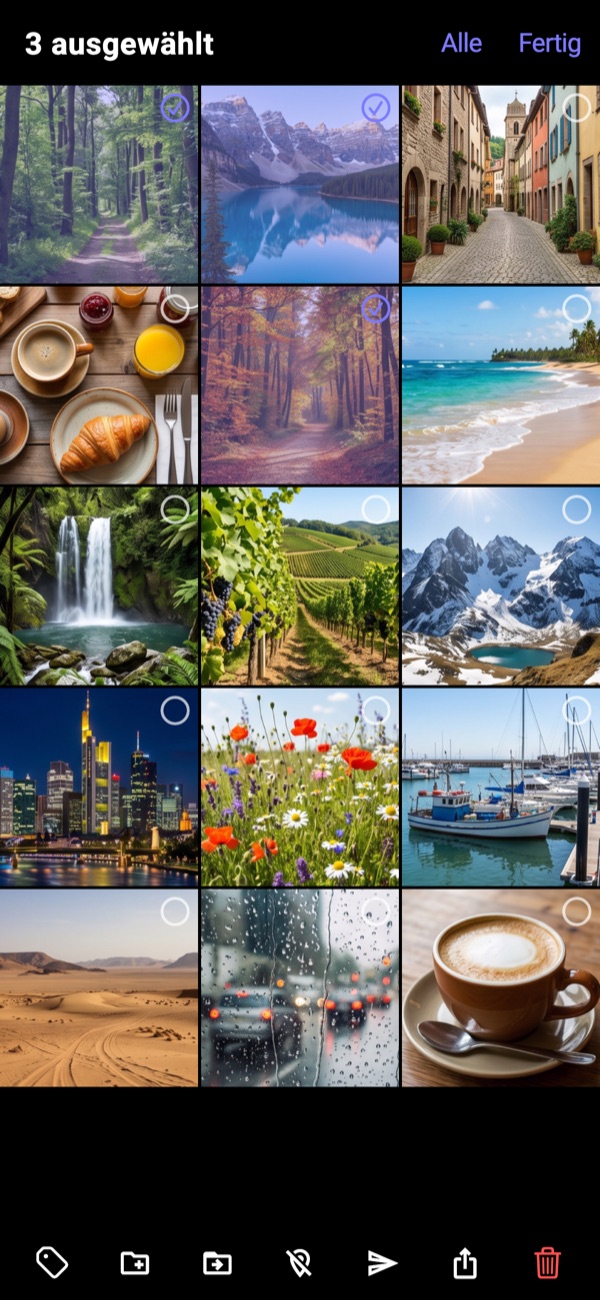
Hold a picture down and you can select several. Everything you can do with them appears below: tag them, put them in a collection, send them to a chat, export them or delete them. It all stays encrypted until you hand it out yourself.
Tap a photo to edit it. The editor is called “Edit & anonymise”, and that is deliberate: you can lay stickers or another picture from the vault over faces and number plates. What gets saved is a new image, rebuilt from pixels, without the old metadata.
The location a photo carries with it
A photo from a phone holds more than the picture. Usually it holds where you were.
The EXIF data carries GPS coordinates accurate to a few metres, the time, the camera model and serial number, sometimes a name. None of it is visible, and it travels with every copy. Forwarding a picture often means forwarding a location.
So Finn asks when you import: “Remove hidden data?” You decide, every time. You can still do it later, from the same selection bar. The picture itself is not recompressed: the pixels are copied byte for byte and only the metadata falls away. No loss of quality for something nobody can see.
Light or dark, however you like it
Finn simply follows your phone's setting. You can also fix it to one or the other in the app, if you prefer one of them.
What is in it
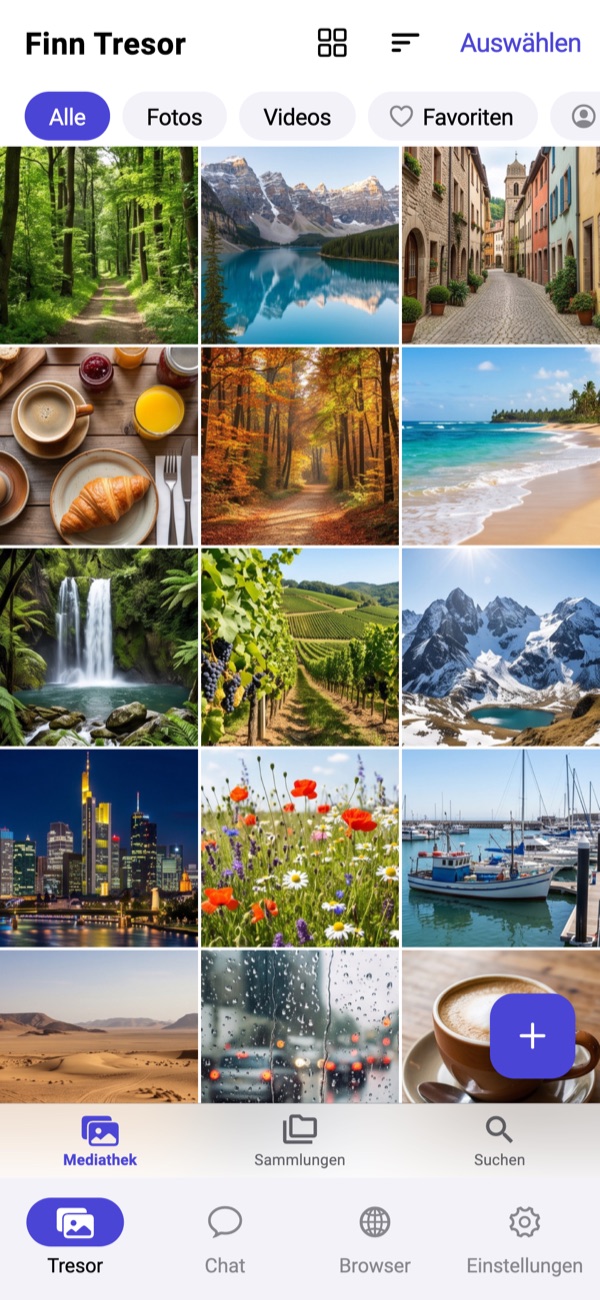
The usual contents of a good vault app, plus three things a vault app does not normally have.
Encrypted before anything is written
AES-256-GCM on your device. Every file gets its own key, and that key is encrypted with your PIN (Argon2id). Without the PIN the file is noise.
Decoy vault
Second PIN, second complete vault. It is never backed up, so it cannot overwrite the real one.
Intruder log
Wrong PIN, photo, timestamp. No subscription, no surcharge.
Album lock and recycle bin
Lock individual albums separately. Deleted items stay recoverable for a while, with the date they go for good.
End-to-end encrypted chat
Signal Protocol. You send media straight from the vault, with no detour through the gallery.
Private browser
Ads and trackers are blocked on the device, tabs run without cookies and without cache. What you find goes into the vault with one tap.
Search the text inside pictures
Text recognition runs entirely on the device. You find the screenshot with the address on it without any picture being uploaded for analysis.
Recovery codes
You get codes for a piece of paper when you set the vault up. They are how you get back in on a new phone. Without them nobody does, us included.
What the others advertise
The well-known vault apps all advertise the same four things. Finn does three of them too. On the fourth we deliberately say something different.
| Advertised | Usual in the category | In Finn |
|---|---|---|
| Intruder alert | Photo of the intruder, usually subscription-only | Included, no subscription |
| Fake PIN, disguised vault | A second PIN shows different albums | A complete second vault with its own chats and its own browsing history |
| Album lock | A PIN per album, usually subscription-only | Included |
| “Military-grade encryption” | As a slogan, without saying what is meant | AES-256-GCM, Argon2id, SQLCipher, named so you can go and read about them |
| Account and cloud | Sign up by email, cloud from the start | No account at all. Cloud backup is optional |
| How it is paid for | Ads, trackers, consent dialogs with dozens of switches | No ads, no analytics, no trackers |
And here is where we disagree
Plenty of apps advertise multi-pass overwriting to military
standard
. On a phone that is not possible. Flash storage
distributes writes itself, and the old blocks can physically remain
whatever an app does.
So Finn deletes cryptographically. We destroy the keys. The file was never anything but ciphertext, and without the key it stays unreadable. That is the promise we can keep. We would rather you heard that one than a better-sounding one.
Get it now
On the App Store for iPhone. For Android, straight from our server — the app tells you itself when there is a new version.
At a computer? Scan the code with your phone camera. The download page walks through the two questions Android asks and what to answer.
Common questions
Why not from the Play Store?
The Android version comes straight from us for now, which has one pleasant side effect: you need no store account. The app checks once a day whether there is something new. The iPhone version is on the App Store.
What can you see of my data?
Ciphertext and a random identifier. No name, no email address, no phone number, no contacts, no browsing history. Exactly what sits where is in the privacy policy, as a table rather than a wall of text.
What if I forget my PIN?
Then you need the recovery codes. You get them once, when you set the vault up. Write them down. Without the PIN and without the codes the vault does not open — which is exactly why nobody else can open it either.
What does it cost?
Nothing, up to 100 items in the vault, and that does not run out — it is the ordinary plan, not a trial. Finn Premium is for vaults that outgrow it: as many items as you like, plus encrypted cloud backup so a vault survives a new phone. €3.99 a month, or €29.99 a year with the first year free. Encrypted chat backup is free on either plan. Payment goes through Apple or Google directly — we never see a card number.
Is Finn on iPhone as well?
Yes. Finn is on the App Store for iPhone and iPad. The direct download on this site is the Android build.